Home › Documentation › Configuration › Retention
Retention policies
Default policy
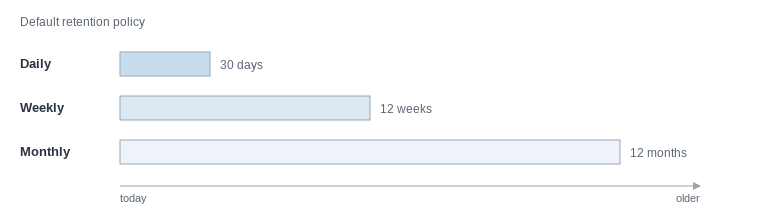
| Tier | Kept | Which restore point |
|---|---|---|
| Daily | 30 days | The last completed backup of each day |
| Weekly | 12 weeks | The last daily of each week (Sunday) |
| Monthly | 12 months | The last daily of each month |
| Yearly | Off by default; up to 7 years on the Server and Microsoft 365 plans | The last daily of each year |
If a device backs up more than once a day, all restore points from the last 48 hours are kept, then thinned to one per day.
Changing retention
Retention is set per policy: Policies › select policy › Retention. Each tier can be set between zero and its plan maximum.
- Increasing retention applies to existing restore points that have not yet expired.
- Decreasing retention causes restore points outside the new policy to expire at the next nightly run. This cannot be undone once the soft-delete period has passed.
Expiry
Expired restore points are soft-deleted and recoverable by support for 14 days. Storage is released once the chunks are no longer referenced by any remaining restore point. Because of deduplication, expiring one restore point often frees little space.
Devices that stop backing up
The most recent restore point of a device is never expired automatically, however old it becomes, until the device is retired. This is deliberate: a laptop that has been in a drawer for two years still has its last backup.
Retired devices
When a device is retired you choose whether to keep its restore points until they expire under the policy, or delete them. See Offboarding.
Legal hold
An administrator can place a hold on a device, which suspends expiry for all of its restore points until the hold is removed. Holds are recorded in the audit log. Data under hold counts towards storage.
Retention and storage cost
Long retention of data that changes heavily (for example database dumps included as files, or virtual disk images) is the most common cause of unexpectedly high usage. See KB-1068.