Home › Documentation › Account › Enrolment keys
Enrolment keys
An enrolment key lets an agent register a new device in your tenant. It does not give access to any existing data.
Creating a key
Devices › Enrolment keys › New key. Choose:
| Option | Meaning | Default |
|---|---|---|
| Plan | Workstation or Server | Workstation |
| Policy | The policy applied to devices registered with the key | The plan's default |
| Device group | Optional group to place devices in | None |
| Encryption | Managed keys or customer-held passphrase | Managed |
| Maximum devices | How many registrations the key allows | 25 |
| Expires | 1 to 90 days | 14 days |
The key is shown in the form CBK-ENR-XXXX-XXXX-XXXX. It can be viewed again later by an administrator.
Good practice
- Create a key per rollout batch or site, not one key for everything.
- Use the shortest lifetime that covers the rollout.
- Set the maximum devices to the number you expect, plus a small margin.
- Revoke keys when the rollout finishes.
A key embedded in a deployment script or software package will be seen by anyone who can read that script. The risk is that someone registers devices you did not intend, consuming licences and storage. It is a nuisance more than a breach, but worth avoiding.
Revoking
Select the key and choose Revoke. Devices already registered with it are not affected.
Errors
Re-registering a rebuilt device
If a device is rebuilt and should continue its existing history, register with:
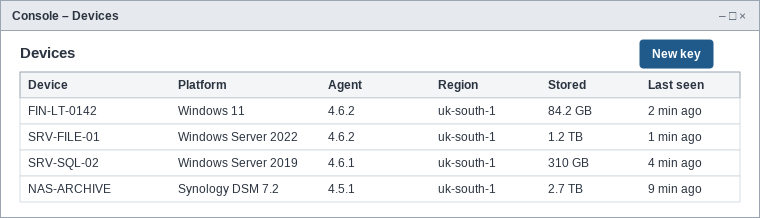
cbk enrol --key CBK-ENR-XXXX-XXXX-XXXX --adopt "SRV-FILE-01"This attaches the new installation to the existing device record instead of creating a second one. An administrator must approve the adoption in the console. See KB-1042.